The complete video library
Find it. Watch it. Try it.
Every Professor Printer video in one place, with a written guide to help you follow along.
548 videos·357 written guides
Browse the complete video index (548)
- How To Get Inside Epson EcoTank ET-2400 / ET-2860 Printer
- How to Clean Print Head on Epson EcoTank ET-2400 / ET-2860 Printer Without Computer
- How to Find Epson EcoTank IP Address (ET-2400 , ET-2860)
- Epson EcoTank ET-2400: How to Print a Nozzle Check Test Page (ET-2860)
- Epson EcoTank ET-2400 Printer: How to Fix Paper Jam (ET-2860)
- Epson EcoTank ET-2400: How to Reset the Wi-Fi Settings (ET-2860)
- How To Setup Epson EcoTank ET-2400 / ET-2860 Printer
- How to Reconnect Epson EcoTank ET-2400 / ET2860 to WiFi
- How to Turn Off Epson EcoTank ET-2400 / ET-2860 Printer
- How to Factory Reset Your Epson EcoTank Printer (ET2400/ET2860)
- How to Fix Wifi Not Connecting On Canon Pixma MegaTank G3290 / G3590 Printer
- How To Fix Clogs & Blocks On Any Canon MegaTank Printer
- How To Use The Scanner On Canon Pixma MegaTank G3290 / G3590
- How To Print, Copy & Scan Using Canon Pixma MegaTank G3290 / G3590 Printer
- How to Copy on Canon Pixma MegaTank (All Models)
- Best Settings To Print Photos On Canon Pixma MegaTank G3290 Printer | Photo Print Quality Test
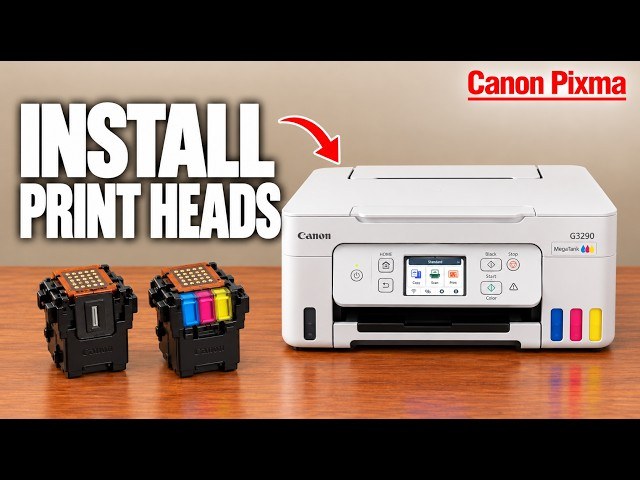
- Canon Pixma MegaTank G3290: Install Print Head Cartridges (G3590)
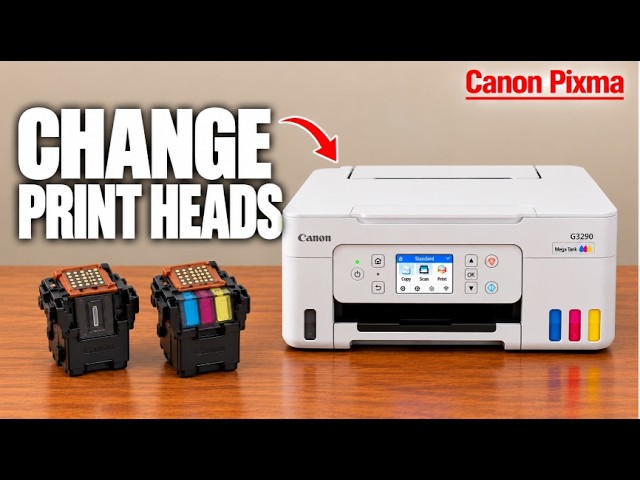
- Change & Replace Print Heads in Canon MegaTank G3290 & G3590 Printer
- How to Cancel Print Job on Canon MegaTank Printer (ANY MODEL)
- How to Change Paper Type on Canon Pixma MegaTank G3290 / G3590 Printer
- How to Deep Clean Canon MegaTank Printer G3290 / G3590
- How to Disable Beeping Noise on Canon MegaTank Printer
- How To Factory Reset Canon Pixma MegaTank G3290 / G3590 Printer
- How to Find Canon MegaTank Password G3290 / G3590 Printer
- How to find IP Address of Canon MegaTank (G3290 / G3590)
- How to Fix Paper Jam on Any Canon MegaTank Printer
- How to Load The Ink Into Canon MegaTank G3290 & G3590 Printer
- How to Reconnect Canon MegaTank To WIFI (G3290 / G3590)
- How to Reset & Restore Canon Pixma MegaTank G3290 / G3590 Printer
- How To Reset Network Settings On Canon Pixma MegaTank G3290 / G3590 Printer
- How To Setup WiFi On Canon Pixma MegaTank G3290 / G3590 Printer (2 Methods!)
- How to Turn on Quiet Mode: Canon Pixma MegaTank G3290 / G3590 Printer
- How To WiFi Setup Your Canon MegaTank G3290 / G3590 With Your Phone
- Canon Pixma MegaTank G3290 / G3590 - Unboxing, Setup & Detailed Review!
- How to Improve HP Smart Tank Print Quality
- How to Load Paper Into Canon Pixma MegaTank G3290 / G3590
- How To Refill Ink In Canon Pixma MegaTank G3290 / G3590 Printer
- How to Remove Ink from HP Smart Tank Printer (5100, 5000, 580)
- How to Replace HP Smart Tank Printheads (All Models)
- How to Reset HP Smart Tank Wi-Fi & Restore Wireless Setup Mode
- How to Scan to Iphone from HP Smart Tank Printer
- How to Scan to PC or Mac with HP Smart Tank 5100, 580, 6100
- How to Use the HP Printer App - Every Features Explained
- How to use your HP Smart Tank to Print Photos
- HP Smart Tank : How to Fix a Paper Jam
- HP Smart Tank : How to Setup Using a USB Cable - PC & Mac
- HP Smart Tank 5100 Printing Blurry - Fix In 1 Easy Step (2955)
- HP Smart Tank 580/5100 WiFi Direct Setup
- HP Smart Tank Not Printing Black Ink? Fix It Step by Step
- HP Smart Tank Not Printing in Color? Fix It Step by Step
- HP Smart Tank: How to Fix WIFI Connection Issues
- HP Smart Tank 5100: ONE YEAR LATER - My honest review...
- How to Find HP Smart Tank IP Address (Easy)
- How to Reconnect HP Smart Tank to WIFI (5100/5003/580)
- HP Smart Tank Printing Blank Pages? Fix It Step by Step
- How to Cancel HP Smart Tank print Job
- How to Copy on HP Smart Tank (all models)
- How to Enable WPS on HP Smart Tank (5100, 580, 5003, 5001)
- How to Find HP Smart Tank Pin
- How to Find HP Smart Tank WIFI Direct Password
- How to Fix HP Smart Tank E1 Error (5100, 5003, 5102, 5017)
- How to Fix HP Smart Tank E2 Error (5100, 5003, 5102, 5017)
- How to Fix HP Smart Tank E3 Error (5100, 5003, 5102, 5017)
- How to Fix HP Smart Tank E4 Error (5100, 5003, 5102, 5017)
- How to Fix HP Smart Tank E5 Error (5100, 5003, 5102, 5017)
- How to Fix HP Smart Tank E6 Error (5100, 5003, 5102, 5017)
- How to Fix HP Smart Tank E7 Error (5100, 5003, 5102, 5017)
- How to Fix HP Smart Tank E8 Error (5100, 5003, 5102, 5017)
- How to Fix HP Smart Tank E9 Error (5100, 5003, 5102, 5017)
- How to Identify Correct ink to order for HP Smart Tank Printer
- How to Print Double-Sided on HP Smart Tank (Manual Duplex)
- How To Print, Scan, Copy With HP Smart Tank 5100, 580, 5003
- How to Reset & Restore HP Smart Tank 5100, 5000, 580
- How to turn on HP Smart Tank WIFI (EASY)
- How to Turn on Photo Copying Mode on HP Smart Tank (5100, 5000, 580)
- How to Turn on WIFI Direct on HP Smart Tank (5100, 580, 5003)
- HP Smart Tank Blinking Power Light: What It Means (5100/530/580/5105/5107)
- HP Smart Tank Buttons Explained (5100, 580, 5003, 5102, 5017)
- HP Smart Tank WiFi Not Connecting !!
- Comment Changer et Remplacer les Cartouches d'Encre du HP Envy 6010e
- How to Install Ink Cartridges on HP Envy 6010e
- How To Print, Copy & Scan With Canon Pixma MG3620 Printer
- Canon Pixma MG3620 Reset WiFi Network Reset !!
- How to Load Ink Into HP Smart Tank Printer (5100, 5003, 5102, 5017)
- How to Load Paper in HP Smart Tank (5100, 5003, 5102, 5017)
- HP Smart Tank Blinking Wi-Fi Light: What It Means (5100/5101/5003/5105/5107)
- HP Smart Tank Full Setup Guide (5100, 5003, 5102, 5017)
- HP Smart Tank Wireless Setup (5100, 5103, 5105, 5003)
- How to find the PIN on HP Color LaserJet Pro MFP 3301 FDW Printer
- How To Scan Multiple Pages Into 1 PDF Document With HP Color LaserJet Pro MFP 3301 fdw Printer
- How To Scan Using HP Color LaserJet Pro MFP 3301fdw Printer (2 Methods!)
- Load Paper Into Tray 1 | HP Color LaserJet Pro MFP Printer (3301 fdw)
- How to Cancel Print Job HP DeskJet 4300/4355
- How to Check Ink Levels HP Deskjet 4300 /4355
- How to Copy Documents on HP DeskJet 4300 / 4355
- How to Find Correct Ink for HP DeskJet 4300/4355
- How to Find HP Deskjet Pin or Password (4300, 4355)
- How to Fix a Paper Jam (E4 Error) on HP DeskJet 4300 / 4355
- How to Fix HP Deskjet E0 Error (4300, 4355, 4255, 4352)
- How To Improve HP DeskJet Print Quality (4300, 4355)
- How to Install HP Deskjet 4355 Ink Cartridge
- How to Load Paper in HP DeskJet 4300, 4355
- How to Print Double-Sided on HP DeskJet 4300 Series (Manual Duplex)
- How To Print, Scan, Copy With HP Deskjet 4300, 4355
- How to Reconnect HP DeskJet 4300 to WIFI (4352/4355)
- How to Replace HP DeskJet 4300 Ink Cartridges & Check Ink Levels
- How to Reset HP DeskJet 4300
- How To Restore SetUp Mode on HP Deskjet 4300, 4355
- HP Deskjet 3755 WiFi Not Connecting!
- HP DeskJet 4300 Not Picking Up Paper? Fix the Feed Problem
- HP DeskJet 4300 WiFi Not Connecting !!
- HP DeskJet 4355: ONE YEAR LATER - My honest review...
- HP DeskJet Blinking Wi-Fi Light: What It Means (4300/4355/4352/4322)
- How to Align Printheads HP DeskJet 4300/4355
- How To Find IP Address HP DeskJet 4300/4355
- How to Find Wifi Direct Password HP DeskJet 4300/4355
- How to Find WPS Pin HP DeskJet 4300/4355
- How to Fix HP Deskjet printer not printing color (4300 series)
- How to Reset HP DeskJet 4300 Wi-Fi & Restore Wireless Setup Mode
- How To Scan From HP DeskJet to Mac (4300, 4355)
- How To Scan To Iphone HP DeskJet 4300/4355
- How to Setup WIFI Direct on the HP DeskJet 4300/4355
- How to Use Your HP DeskJet 4300 to Print Photos | Best Quality Photo Settings 4355
- HP DeskJet 4300 Not Printing Black Ink? Fix It Step by Step
- HP DeskJet 4300 Printing Blank Pages? Fix It Step by Step
- HP DeskJet 4300 Printing Blurry - Fix In 1 Easy Step (4355)
- HP DeskJet Blinking ink Light: What It Means (4300/4355/4352/4322)
- HP DeskJet Buttons Explained (4300, 4355, 4320)
- Fix Error E03 Paper Jam on HP Deskjet 3755 Printer
- Connect iPhone to HP Deskjet 2900 & 2800 Series Printer Over Wi-Fi FULL SETUP
- Fix your HP printer not picking up paper (DeskJet 2955, 2900)
- How To Cancel HP Deskjet 2900 Print Job
- How To Copy On HP Deskjet 2955 Printer-Full Tutorial (2900)
- How To Find HP DeskJet 2900 WPS Pin
- How to Find HP Deskjet Pin (2900, 2955)
- How to find IP Address of HP DeskJet 2900 series printer
- How To Fix HP Deskjet 'E0' Error
- How To Fix HP Deskjet 'E1' Error
- How To Fix HP Deskjet 'E2' Error
- How To Fix HP Deskjet 'E5' Error
- How To Fix HP Deskjet 'E6' Error
- How to Fix HP DeskJet Printer Printing Blank Pages (2900, 2955)
- How To Improve HP DeskJet Print Quality (2900, 2955)
- How to Load Paper in HP DeskJet 2900, 2955
- How to Print Double-Sided on HP DeskJet 2900 Series (Manual Duplex)
- How To Print, Scan, Copy With HP Deskjet 2900 All-In-One Printer, 2955
- How To Restore SetUp Mode on HP Deskjet 2900, 2955
- How to Scan To Phone HP DeskJet 2900, 2955
- How to Setup Wi-Fi Direct on the HP DeskJet 2955e & 2952e Printer
- How to use your HP DeskJet to Print Photos (2955, 2900)
- HP DeskJet 2900 Ink Cartridge Number (correct)
- HP DeskJet 2900 Not Printing Black (EASY FIX)
- HP DeskJet 2900 Printing Blurry - Fix In 1 Easy Step (2955)
- HP Deskjet 2900, 2952, 2955 Printer : How to Reset & Restore
- HP DeskJet 2955 vs 4355 WHICH ONE SHOULD YOU BUY? (comparison)
- HP Deskjet 2955: ONE YEAR LATER - My honest review... (2900)
- HP DeskJet 4355 Printer UnBoxing and Setup | 4300 Series
- HP DeskJet Buttons Explained (2900, 2955, 2920)
- HP DeskJet Not Printing Color (FIXED) 2900, 2955
- HP DeskJet Wireless Setup (2900, 2952, 2955)
- Canon Pixma TR4722 WiFi Setup, Wireless Setup, Connect To Home Wireless Network.
- How To Access Brother Printer Settings (HL-L2350DW, HL-L2460DW)
- How To Add Brother Printer To Mac
- How To Check HP Deskjet 2955 Ink Levels
- How to Clear Paper Jam on Brother HL-L2460DW HL-L2405W Printer
- How to Connect Brother Printer to iphone (HL-L2350DW, HL-L2460DW)
- How To Connect Brother Printer To Windows (HL-L2350DW, HL-L2460DW)
- How to Find Brother Printer IP Address
- How To Fix ERROR E4 on HP DeskJet Printer (2900, 2955, 2952, 2922, 2920,)
- How to Fix HP DeskJet 2955 Paper Jam
- How to Install HP Deskjet 2955 Ink Cartridge
- How to Load Paper In Your Brother HL-L2350DW, HL-L2460DW Printer
- How To Replace Brother Printer Drum (HL-L2350DW, HL-L2460DW)
- How To Replace HP DeskJet 2955 Ink Cartridges
- How To Replace Ink Cartridge of Brother Laser Printer
- How To Reset Brother Printer Password (HL-L2350DW, HL-L2460DW)
- How to Reset Brother Printer WIFI (HL-L2350DW, HL-L2460DW)
- How to Reset HP DeskJet 2900 WiFi & Restore Wireless Setup Mode
- How to Turn Off Deep Sleep Mode on Brother Printer (HL-L2350DW, HL-L2460DW)
- How to Update Brother Printer Windows Drivers
- HP DeskJet 2955/2952 - Unboxing, Setup & Detailed Review!
- HP DeskJet Blinking Wi-Fi Light: What It Means (2900/2955/2952/2922)
- Setup Windows PC With Brother HL-L2460DW Printer
- Canon Pixma TR4755i / TR4720 - Unboxing, Setup & Detailed Review!
- Connect iPhone to HP Deskjet 2700 & 2600 Series Printer Over Wi-Fi FULL SETUP
- How to Cancel a Print Job on HP DeskJet 2600/2700 Series
- How to Change HP DeskJet Ink Cartridge
- How to Check Ink Levels on Brother Printer (HL-L2350DW, HL-L2460DW)
- How To Print, Scan, Copy With HP Deskjet 2700 All-In-One Printer, review !!
- How to Reconnect Brother Printer to WIFI (HL-L2350DW, HL-L2460DW)
- How To Replace Ink Cartridges Brother Printers! Ink Toner Installation Brother Printer
- How to Reset Your Brother HL-L2460DW Printer
- How to Scan Using the HP Deskjet 2700e, 2752e, 2710e Printer
- How to Update Firmware on Brother Printer (HL-L2350DW, HL-L2460DW)
- HP DeskJet 2600 WiFi Not Connecting !!
- HP DeskJet 2700 / 2600 Hard Reset : How To Fix Printer Common Problems
- HP Deskjet 2700 / 2600 How to Reset & Restore your Printer
- HP DeskJet 2700 / 2600 Ink Cartridge Replacement !
- HP Deskjet 2700 WiFi Direct SetUp, Wireless SetUp, Wireless Scanning & Printing !!
- Fix Cartridge error/ Not Detected on HP 8135e/8122e/8124e/8125e
- Fix Ink Smears and Marks on HP 8122e/8124e/8125e/8135e
- Fix WiFi Connection Lost on HP 8122e/8124e/8125e/8135e
- How to Align Printheads on HP OfficeJet Pro 8135e
- How to Check Printhead Status on HP OfficeJet Pro 8135e
- How to Clean the Printhead on HP OfficeJet Pro 8135e
- How to Connect HP OfficeJet Pro 8135e to MacBook
- How to Copy Double-Sided on HP OfficeJet Pro 8135e
- How to Copy, Print & Scan With HP OfficeJet Pro 8135e
- How to fix an hp printer thats offline or not responding from a windows computer
- How to Fix Bad Print Quality on HP 8122e/8124e/8125e/8135e
- How to Fix WiFi & Printing Problems - HP OfficeJet Pro 8135e
- How to Load and Use Photo Paper in HP OfficeJet Pro 8135e
- How to Print a Test Page on HP OfficeJet Pro 8135e
- How to Print Double-Sided on HP OfficeJet Pro 8135e
- How to Scan Multiple Pages to One PDF on HP OfficeJet Pro 8135e
- How to Set Up HP OfficeJet Pro 8135e With iPhone & WiFi
- How to Set Up WiFi Direct on HP Officejet 8135e/8124e/8125e/8122e
- How to Update HP OfficeJet Firmware
- HP OfficeJet Blinking Wi-Fi Light: What It Means (8135e/8124e/8125e/8122e)
- HP Officejet not Picking Up Paper FIXED
- HP OfficeJet Not Printing Black FIXED
- HP OfficeJet Not Printing Color FIXED
- HP OfficeJet Pro 8135e Full Review, Print Quality & Costs
- HP OfficeJet Pro 8135e Stuck in a Boot Loop? Fix
- Which Ink Fits HP OfficeJet Pro 8135e? Correct Cartridge Guide
- Canon PIXMA Blinking Light Problem Solved | TS3750i & TS3720
- Canon Pixma TS3750i How to Print a Nozzle Check Test Page | TS3720
- Fix Epson Ecotank ET-2850 Printer Not Printing All Colors
- How to Fix Paper Jam On Epson EcoTank ET-2850 Printer
- How to Setup an Epson EcoTank ET 2850 Printer for Sublimation
- HP OfficeJet Pro 8135e Not Connecting to WiFi? Fix It Step by Step
- Find the Admin Password on HP OfficeJet Pro 8130e Series
- How to Check Ink Levels on HP OfficeJet Pro 8135e
- How to Connect HP OfficeJet Pro 8135e to WiFi
- How to Copy Documents on HP OfficeJet Pro 8130e Series
- How to Factory Reset HP OfficeJet Pro 8135e
- How to Fix a Paper Jam on HP OfficeJet Pro 8135e / 8139e
- How to Install Ink Cartridges in HP OfficeJet Pro 8135e
- How to Load Paper in HP OfficeJet Pro 8135e
- How to Network Reset HP OfficeJet Pro 8135e
- How to Print Photos on HP OfficeJet Pro 8135e
- How to Reconnect HP OfficeJet Printer to WIFI - Full Guide
- How to Replace Ink Cartridges in HP OfficeJet Pro 8135e
- How to Scan on HP OfficeJet Pro 8135e
- HP OfficeJet Pro FULL SETUP Guide (Wifi, Phone, PC, Connection)
- How to Install Ink Cartridges in Canon PIXMA TS3750i | TS3720 Printer
- Canon Pixma TS3750i - Unboxing, Setup & Detailed Review!
- Epson EcoTank ET 2950: ONE YEAR LATER - My honest review...
- How to Fix HP Deskjet printer not printing color (2600 series)
- How to Fix Your HP ENVY 6555e & 6155e Printer Not Working wifi problems, printing issues
- How to Identify the Correct Ink for HP DeskJet 2600 Series printer
- How To Restore Setup Mode on HP Deskjet 2600 All-In-One Printer Series
- How to use your HP Envy to Print Photos
- HP Deskjet 2620 | 2652 | 2655: Scan Multiple Pages to a PDF Document
- HP DeskJet Blinking Wi-Fi Light: What It Means (2600/2622/2652/2655)
- Wi-Fi Direct Setup HP DeskJet (2622/2652/2655)
- How to Clean HP Envy Printheads (6155e, 6152e, 6132e)
- How to Connect HP Envy to Mac (Print & Scan) 6155e, 6152e, 6132e
- How to Print a Test Page / Printer Status Report on HP DeskJet 2600
- How to Reconnect HP DeskJet 2600 to WIFI (2652/2655)
- How to Replace Ink Cartridges in HP DeskJet 2652/2655 (2600 Series)
- How to Reset HP DeskJet 2600 Wi-Fi & Restore Wireless Setup Mode
- HP DeskJet 2600 Not Picking Up Paper? Fix the Feed Problem
- HP Envy 6120, 6400, 6155 Wireless Setup, Connect To WiFi
- HP Envy Printer FULL REVIEW (6155e, 6120e, 6055, 6020e)
- Connect HP ENVY to a New Router or Wi Fi 6155e, 6152e, 6132e
- How to Align Printheads and Cartridges HP Envy 6100 Series
- How to check HP Envy Ink Levels (any model)
- How to Check Ink Levels on HP DeskJet 2600 Series
- How To Check The Ink Cartridge Level On An Epson XP-2200 Printer
- How to Clear HP Envy Paper Jam 6155e, 6152e, 6132e
- How To Copy, Print & Scan HP Envy 6100 Series Printer
- How to Find the Wifi/Admin Password on the HP ENVY 6555e & 6155e printer
- How To Fix an Incompatible or Missing Cartridge Error HP ENVY Printers HP
- How To Fix Bad Print Quality In HP Envy 6000 series Printer
- How to fix E4 Paper Jam error HP DeskJet (2600,2655,2652,2622)
- How to Fix HP Envy printer not connecting to wifi
- How to Fix HP Envy Printing Blank Pages
- How to Load Paper in HP DeskJet 2600 Series (2622, 2652, 2655)
- How to Load Paper In Your HP ENVY Printer 6155e, 6152e, 6132e Printer
- How to Network Reset HP ENVY 6155e, 6152e, 6132e
- How to Print Double-Sided on HP DeskJet 2600 Series (Manual Duplex)
- How To Reconnect HP Envy to WIFI
- How to Replace HP Envy Ink Cartridges & Check Ink Levels
- How To Reset HP Envy 6155e and 6555e Printer Factory Semi Full Partial Reset
- How to Scan from HP ENVY to Mac 6155e, 6152e, 6132e
- How to Scan Multiple Pages into One PDF HP ENVY 6155e, 6152e, 6132e
- How to Scan Photos and Documents to Windows 10 11 PC from HP Envy Printer
- How to Update HP ENVY Printer Firmware
- How to use Apple AirPrint with a HP Envy Printer 6155e, 6152e, 6132e
- HP DeskJet 2600 E3 Carriage Jam: Fix a Stuck Ink Carriage
- HP DeskJet 2600 E4 Paper Jam: Clear It and Reset the Error
- HP DeskJet 2600 Printing Blank Pages? Fix It Step by Step
- HP DeskJet 2600 Series Complete Setup (2622, 2652, 2655)
- HP Envy FULL SETUP Guide (WIFI, Phone, PC, Connection)
- Wi-Fi Direct Setup on HP Envy 6100 Series Printer (6155e, 6152e, 6132e)
- Epson EcoTank ET 2900 How to Print a Nozzle Check Test Page
- How to Print Borderless with EPSON Printers (Epson EcoTank ET-2900)
- Epson EcoTank ET 2950 Double Sided Copy Guide
- How to Install Ink Cartridges on HP DeskJet 2600 Series
- HP DeskJet 2600 Not Printing Black Ink? Fix It Step by Step
- Epson Ecotank 2950 Printer How-to Reset Ink Levels After Refilling
- Epson EcoTank ET-2950 | Wireless Setup Using the Control Panel
- Epson EcoTank ET-2950 Reset WiFi, Network Settings, Connect To New WiFi
- Epson ET-2950 : How to Connect to iPhone or Android & Print & Scan Using Wifi
- Epson EcoTank ET-2950 - Unboxing, Setup & Detailed Review!
- How to Clean Print Head on Epson EcoTank ET-2900 Printer Without Computer
- Epson Apple AirPrint | Printing from Your Apple Devices
- Epson EcoTank Printing Lines Through Pictures or Photos Fix
- Epson EcoTank Settings for Best Quality Image | How To Get The Best Quality Print With ET-2950
- Epson EcoTank won't Connect to Wifi - Fix it Now
- Best Canon Printer for Home Office & Shop | Canon PIXMA TS3750i / TS3720 Wi-Fi Printer Review
- Best Settings to Print Photos With Canon PIXMA TS3720 TS3750i Printer
- Best Settings to Print Photos With Epson EcoTank ET-2850
- Canon Pixma Blinking Ink Light Problem Solved | MG3620 & MG3650
- Canon PIXMA Blinking Light Problem Solved | MG3620 & MG3650
- Canon Pixma Buttons & Symbols Explained (MG3620, 3600, 3650)
- Canon Pixma MG3620 Check Ink Cartridge Levels
- Canon PIXMA MG3620 Printer: Full Setup (2026 Guide)
- Canon PIXMA MG3620 Printer: How to Factory Reset
- Canon PIXMA MG3620 Printer: How to Fix A Paper Jam
- Canon PIXMA MG3620 Printer: How to Load Paper
- Canon PIXMA MG3620 Printer: How to Scan (With and Without a PC Computer)
- Canon PIXMA MG3620 Printer: How to Setup and Connect to PC Windows Computer
- Canon PIXMA MG3620 Printer: Installing Ink Cartridges
- Canon Pixma MG3620 WiFi Setup, Connect To Wireless Router, Review.
- Canon Pixma MG3620: How To Find Wifi & Admin Password
- Canon Pixma MG3620: How To Improve Printer Quality (Deep Print Head Cleaning!)
- Canon PIXMA Orange / Blinking Light Problem Solved | TR4720 & TR4755i Printer
- Canon Pixma Photo Print Quality Test | TR4720, 4722, 4755i | How To
- Canon Pixma TR4720 / TR4755i Manual WiFi Setup via Control Panel (No Canon Print App)
- Canon PIXMA TR4720 All-In-One Printer Review: Scans, Copy, Fax, Print, Photos too | TR4722, TR4755i
- Canon Pixma TR4720 and TS3720 Duplex Print Comparison Test
- Canon Pixma TR4720 How to Print a Nozzle Check Test Page | TR4755i
- Canon Pixma TR4720 Not Printing Black or Color Ink? Fix It Step by Step | TR4755i
- Canon Pixma TR4720 Printing Blank Pages? Fix It Step by Step | TR4755i
- Canon Pixma TR4720 TR4755i Buttons, Symbols & Status Lights Explained
- Canon Pixma TR4720 vs TS3720 Comparison Review | Which Should You Buy? | TR4755i & TS3755i
- Canon PIXMA TR4720: How to Load Paper in the Printer | TR4755i
- Canon PIXMA TR4720: Scan & Copy Multiple Pages Using the Automatic Document Feeder | TR4755i
- Canon PIXMA TS3720 Printer: How to Load Paper
- Canon Pixma TS3720 Windows WiFi Setup - TS3750i Wireless Windows Setup |
- Canon PIXMA TS3750i Printer Wireless Setup TS3720
- Canon Pixma: How to Change Printer Language Settings
- Check Ink Levels On Canon Pixma TR4720 TR4755i Printer
- Comment Installer les Cartouches d'Encre du HP Envy 6010e
- Connect Canon Pixma TR4720 to Chromebook & Chrome OS | TR4755i
- Converting an Epson EcoTank ET-2950 into a Sublimation Printer: A Step-by-Step Guide.
- Copy Multiple Documents & Duplex Copy with HP Deskjet 3755 Printer
- EASY Fix For Print Quality Problems On Epson EcoTank 2850! Not Printing Black, Color - Solved!
- Enable Double Sided (Duplex) Printing On Canon Pixma TR4720 / TR4755i Printer
- Epson EcoTank | How to Solve Wireless Printing Problems
- Epson Ecotank 2850 Printer How-to Reset Ink Levels After Refilling
- Epson EcoTank 2850 WiFi Setup, Connect To Wireless Network.
- Epson EcoTank Easy App WiFi Setup Tutorial
- Epson EcoTank ET 2900 Scanning, Printing & Copying Video | ET-2980
- Epson EcoTank ET 2950 How to Set Up Duplex (Double Sided) Printing
- Epson EcoTank ET-2800, 2850, 2851 Setup Windows Laptop, Wireless Setup, Install Drivers
- Epson EcoTank ET-2800, ET-2850, ET-2851 Scan To Computer.
- Epson EcoTank ET-2850 : How to Fix Wifi Connection Problems
- Epson EcoTank ET-2850 : Print Head Cleaning
- Epson EcoTank ET-2850 | Wireless Setup Using the Control Panel
- Epson Ecotank ET-2850 Printer Printing Pink Solved
- Epson EcoTank ET-2850: How to Print a Nozzle Check Test Page
- Epson EcoTank ET-2900, 2950, 2980 Setup Win Laptop, Wireless Setup, Install Drivers, Add To Laptop.
- Epson EcoTank ET-2950 : Print Head Alignment
- Epson EcoTank ET-2950 | Fix Faded Or Strange Colors
- Epson EcoTank ET-2950 Paper Jam Error Fixed
- Epson EcoTank ET-2950 WiFi Setup
- Epson EcoTank ET-2950: How to Refill Ink
- Epson EcoTank Printing On Wrong Paper? Full Fix Guide | ET-2950 ET-2980
- Epson ET 2960 - Not Printing Color/ Black - Printer Error Fixed - How to Clean Printhead
- Epson ET 2960 Power Cleaning (Bk or Y M C Ink ) Clear Clogged Ink from Print Head QUICKLY.
- Epson ET-2900 Firmware Update from Screen
- Epson ET-2950 : How to Find the Wifi Password
- Epson ET-2950 ET-2980 | Fix Skewed Prints
- Epson ET-2950 ET-2980 | Fix Unprinted Edges on Borderless
- Epson Expression Home XP 2200 XP 2205 How to Change & Replace Ink Cartridges
- Epson Expression Home XP 2200 XP 2205 How to do Printhead Cleaning Cycles and Improve Print Quality
- Epson Expression Home XP-2200 - How to Remove Jammed Paper
- Epson Expression Home XP-2200 How to Print a Nozzle Check Test Page
- Epson Expression Home XP-2205 Complete Unboxing, Setup & Review: Ink, Paper, Wi-Fi & First Print
- Epson Printer PC USB Cable Setup EcoTank ET 2920, ET 2950, ET 2960
- Epson XP - 2200 Printer | How to Print Two-Sided (Duplex)
- Epson XP 2200 - How to Fix Incorrect Color Or Missing Lines Head Cleaning
- Epson XP 2205 Fix Network Connection Issues
- Epson XP 2205 Ink Cartridge Not Recognized Safe Fixes
- Epson XP-2200 Expression Home Printer: ONE YEAR LATER - My honest review...
- Epson XP-2205 Buttons, Symbols & Status Lights Explained
- Epson XP-2205 Wi-Fi Lights Flashing: Meaning & Fix
- Fix & Improve HP DeskJet 3755 Print Quality Issues (Printhead Cleaning)
- Fix Blinking Ink Light Error E02 on HP Deskjet 3755 Printer
- Fix Blurry Misaligned Prints | Epson EcoTank ET-2950 ET-2900
- Fix Canon Pixma Quality Issues | Print Head Cleaning | TR4720 TR4755i
- Fix Dirty & Smudged Prints on Canon Pixma TR4720 TR4755i Printer
- Fix Epson EcoTank ET-2850 Printer Only Printing Blank Pages
- Fix Horizontal Smears | Epson EcoTank ET-2950 ET-2900
- Fix HP DeskJet 3755 Not Printing, 4 Common Reasons, Resume Printing.
- Fix Orange Blinking Light Error on HP DeskJet 3755 Printer
- Fix Printer Ejecting Blank Paper | Epson ET-2950 ET-2980
- Fix Vertical Paper Stains | Epson EcoTank ET-2950 ET-2900
- Fix WiFi Connection Issues On Canon Pixma TR4720 / TR4755i Printer
- How To Align Print Heads on Canon Pixma MG3620 PRinter
- How to Bypass Canon's Low Ink Warning After Refilling on Canon Ink-Jet Printers
- How To Cancel a Print Job on Canon Pixma MG3620 Printer
- How To Cancel a Print Job On HP Color LaserJet Pro Printer
- How To Change & Replace Ink Cartridges in Canon Pixma MG3620 Printer
- How to Change & Replace Ink Cartridges In HP DeskJet 3755 Printer
- How To Change & Replace Ink Cartridges On HP Envy 6010e
- How to Change & Replace the Ink Cartridges on the Canon Pixma TR4720 / TR4750i
- How to Change & Replace the Ink Cartridges on the Canon Pixma TS3720 / TS3750i
- How To Change & Replace Toner Cartridges | HP Color LaserJet Pro MFP 3301fdw Printer
- How to Check Ink Cartridge Levels on Canon Pixma TS3720 or TS3750i Printer
- How To Check Ink Cartridge Levels On HP Deskjet 3755 Printer
- How to Check Ink Levels Accurately on Epson EcoTank ET-2850 Printer
- How To Check Ink or Toner Cartridge Levels On HP Color LaserJet Pro MFP 3301fdw Printer
- How to Clean Clogged or Blocked Epson ET-2900 Print Head Nozzles The Easy Way.
- How to Clean Print Heads on Epson EcoTank ET-2800 Printer Without Computer
- How To Clean The Print Head (Improve Print Quality!) On Canon Pixma TS3720 / TS3750i Printer
- How to Connect & Send a Fax From Canon Pixma TR4720 / TR4755i Printer
- How To Connect & Send A Fax With HP Color LaserJet Pro Printer (MFP 3301 FDW)
- How To Connect Canon PIXMA TS3750i Printer to Your Phone or Tablet by Wireless TS3720 WiFi
- How to Connect Epson XP 2205 to Wi Fi First Time Setup
- How to Connect PC Windows Computer With Canon Pixma TR4720 / TR4755i Printer
- How to Connect Smartphone With Epson EcoTank ET-2850 Printer (iPhone Android)
- How To Copy Double Sided Pages With Canon Pixma TR4720 / TR4755i Printer
- How to Copy Using Your HP DeskJet 3755 Printer
- How to Copy With Epson EcoTank ET-2850 & ET-2800 Printer
- How to Copy With Epson EcoTank ET-2900 & ET-2950 Printer
- How to Copy With Epson XP - 2200 Expression Home Printer
- How To Copy With HP Color LaserJet Pro MFP 3301 fdw Printer
- How To Copy, Print & Scan With HP Color LaserJet Pro MFP 3301 FDW Printer
- How to Enable AirPrint on Epson EcoTank Printer ET-2950
- How To Enable Wi Fi Direct On Your Epson XP 2200 Printer To Print Without An Internet Router
- How To Factory Reset An Epson ET-2960 Printer-Easy Tutorial
- How to Factory Reset Your HP DeskJet 3755 Printer
- How to Find Canon Pixma IP Address
- How To Find HP Deskjet 3755 IP Address
- How To Find IP Address Of HP Color LaserJet Pro MFP 3301fdw Printer
- How to Find the Wi-Fi Password: HP DeskJet 3755 Printer
- How to Find the WiFi Admin Password On Epson XP 2200 Printer
- How to Fix a Clog on an Epson EcoTank ET-2850 Printer
- How To Fix Epson XP-2200 Being Connected To a Device but not printing anything
- How to Fix Error 1300 Paper Jam on the Canon Pixma TR4720 / TR4755i
- How To Fix Error E02 On Canon Pixma TS3750i or TS3720 Printer
- How To Fix Error E03 Paper Jam on Canon Pixma TS3750i , TS3720 Printer
- How To Fix Error E04 E05 On Canon Pixma TS3750i or TS3720 Printer
- How To Fix HP DeskJet 2900 'E9' Error
- How To Fix Paper Feeder Issues On HP Color LaserJet Pro Printer
- How to Fix Paper Jam on Any Canon PIXMA Printer
- How to Fix Paper Jam on Epson EcoTank ET-2900 Printer
- How To Fix Paper Tray Empty Error On HP Color LaserJet Pro MFP 3301dw
- How To Get Inside Canon Pixma MG3620 Printer
- How to Improve Poor Print Quality Or Light Print Issue! HP Color LaserJet Pro Printer
- How to Install Ink Cartridges in Canon PIXMA TR4720 or TR-4755i Printer
- How to Install Ink Cartridges In HP DeskJet 3755 Printer
- How to Install Ink Cartridges on Epson XP 2200 Expression Home Wireless Printer
- How To Install Ink Cartridges on HP Color LaserJet Pro MFP 3301fdw Printer
- How to Load Paper Correctly Into HP Color Laserjet Pro MFP Printer (Both Trays)
- How to Load Paper In Your Epson EcoTank ET 2900 Printer
- How to Load Paper in Your Epson EcoTank ET-2800 Printer
- How to Load Paper in Your HP DeskJet 3755 Printer
- How to Load Paper on Epson XP 2200 Wireless Printer
- How to Make a Copy On Canon PIXMA TS3750i & TS3720 Printer
- How To Make Copies With Canon Pixma MG3620 Printer
- How To Make Double Sided Copies On Canon Pixma TS3720 TS3750i Printer
- How to Network Reset HP Color LaserJet Pro MFP 3301fdw
- How To Print A Nozzle Check Test Page On Canon Pixma MG3620 Printer
- How To Print Double Sided or Duplex On HP Deskjet 3755 Printer
- How to Print Double-Sided on Canon Pixma TS3750 | TS3720 (Manual Duplex)
- How to Print from iPhone to Epson Ecotank ET-2950 Wirelessly
- How to Print from iPhone, iPad or Android to Epson XP-2205 with Smart Panel
- How to Print on Envelopes or Letters With Epson EcoTank ET-2850
- How To Reconnect Canon Pixma MG3620 To WiFi
- How To Reconnect Canon Pixma TR4720 / TR4755i To WiFi
- How to Reconnect Canon Pixma TS3720 or TS3750 to WiFi
- How to Reconnect Epson EcoTank ET-2950 To WiFi
- How to Reconnect Epson XP 2205 To WiFi After Changing Router or Wi Fi Password
- How to Reconnect HP Color LaserJet Pro To WiFi (MFP 3301fdw)
- How to Reconnect HP DeskJet 2900 to WIFI (2955/2900)
- How To Reconnect HP Deskjet 3755 To WiFi
- How To Refill Canon Ink Cartridges (2026 Guide)
- How To Refill HP Ink Cartridges - 2026 Working Guide
- How to Refill Ink in an Epson EcoTank ET-2850 Printer
- How to Reset & Restore Canon PIXMA TR4720 / TR4755i Printer
- How to Reset & Restore: Canon PIXMA MG3620 & MG3650s Printer
- How to Reset Canon Pixma TR4720 Wi-Fi & Network Settings | TR4755i
- How To Reset Canon Pixma TR4720/TR4755i Series To Factory Defaults
- How To Reset Canon Pixma TS3750/TS3720 Series To Factory Defaults
- How to Reset Epson XP 2205 Wi Fi Network Settings (Also Disables Wi Fi)
- How to Reset HP DeskJet 3755 Wi-Fi & Restore Wireless Setup Mode
- How to Reset the Wi-Fi Settings | Epson EcoTank ET-2850
- How to Reset WiFi on Canon Pixma TS37250i or TS3720 Printer
- How to Scan & Print Using the Epson EcoTank ET-2850 Printer
- How to Scan from Epson XP 2200 to Windows
- How to Scan from Epson XP 2205 to Your Phone
- How To Scan From HP DeskJet to Mac (2900, 2955)
- How to Scan Multiple Pages into One PDF Canon Pixma 3720 3750i
- How to Scan Multiple Pages into One PDF Canon Pixma TR4720 / TR4722 / TR4755i
- How to Scan Multiple Pages into One PDF Document Canon Pixma MG3620
- How To Scan Multiple Pages On Epson ET 2960 Printer Full Tutorial (Into 1 PDF Document)
- How to Scan to PC - Full Step by Step Guide for Beginners
- How to Scan Using the HP DeskJet 3755 Printer
- How To Scan With Epson Printer - Scan To Computer or Laptop Epson EcoTank ET-2950 | ET-2980
- How to Set Up EPSON XP-2200 WiFi Printer on MacOS (Beginner's Guide)
- How to Setup Epson EcoTank ET-2900 With Windows Computer to Print & Scan over Wi-Fi
- How To Setup WiFi Direct On Canon Pixma MG3620 Printer
- How to Setup WIFI Direct on the Canon Pixma TR4720 / TR4755i
- How to Setup WIFI Direct on the Canon Pixma TS3720 / TR3750i
- How to Setup WIFI Direct on the HP Color LaserJet Pro Printer
- How To Setup Windows PC With HP Color LaserJet Pro MFP 3301fdw Printer
- How to Setup With USB Cable | Epson EcoTank ET-2850
- How to Setup With USB Cable | HP Deskjet 3755 Printer
- How to Setup With USB Cable Canon Pixma TR4720 / TR4755i
- How to Setup With USB Cable Your Canon Pixma TS3720 / TS3750i
- How to Troubleshoot Flashing Triangle Error on Canon Pixma MG3620
- How to Use Apple AirPrint on Canon PIXMA TS3720 TS3750i Printer
- How to Use Epson ET 2980 | 2950 with Chromebooks and ChromeOS
- How To Use HP Deskjet 3755 | Buttons, Symbols & Status Lights Explained
- How To Use The Canon Print App - Every Feature Explained
- How to Use the Epson Smart Panel App - Every Features Explained
- How to Use the Scanner of Your Canon Pixma TR4720 / TR4755i Printer
- How to Use the Scanner of Your Canon Pixma TS3750i TS3720
- How to Use Your Canon Pixma TR4720 to Print Photos | Best Quality Photo Settings TR4755i
- How to WiFi Setup Your Canon Pixma MG3620 With Your Phone
- How to WiFi Setup Your Canon Pixma TR4720 / TR4755i With Your Phone
- How to WiFi Setup Your HP Color LaserJet Pro Printer
- HP Color Laserjet Pro : How to Fix a Paper Jam Error
- HP Color LaserJet Pro MFP 3301fdw - Unboxing, Setup & Detailed Review!
- HP Color LaserJet Pro MFP 3301fdw Printer HARD Reset.
- HP Color LaserJet Pro MFP 3301fdw: ONE YEAR LATER - My honest review...
- HP Color LaserJet Pro Printer Reset To Factory Default Settings (MFP 3301fdw)
- HP DeskJet 2900 "Error E3" Fix
- HP DeskJet 3755 Blinking Wi-Fi Light: What It Means & How To Fix
- HP Deskjet 3755 Full WiFi Setup (2026 Working!)
- HP DeskJet 3755 Not Picking Up Paper? Fix the Feed Problem
- HP Deskjet 3755 Not Printing Black or Color Ink? Fix It Step by Step
- HP DeskJet 3755 Print 4x6 Photos, How To Print Photos
- HP DeskJet 3755 Printer: How to Setup and Connect to PC Windows Computer
- HP Deskjet 3755 WiFi Direct Setup, Connect & Print
- Print, Scan & Copy - Full Chromebook Laptop Setup On Canon Pixma TS3720 / TS3750i
- Quick Fix Scanner Error On Epson ET 2950 #fixscanner #error #et2900
- Reset To Factory Defaults Epson EcoTank ET-2820, ET-2850, ET-2860.
- Reset Your Canon MG 3600 After Refilling the Ink Cartridge
- Scan Multiple Pages into 1 PDF with Epson XP-2205
- Scan To Phone With Canon Pixma TR4700, 4720, 4722, 4723, 4755i Printer
- Setup Windows PC Computer With Epson XP-2200 Expression Home Printer
- Why is my Epson EcoTank ET 2900 Connected but not Printing?