Before you start
- Check the exact regional model and current cartridge prices before buying. The source’s historical prices and running-cost estimates are not current quotations.
What this review can establish
The primary recording is titled as an HP DeskJet 4355 review and identifies the European 4320 in its narration. This article distinguishes the presenter’s observations from specifications confirmed for those two exact models. The supporting recording compares the 4355 with the 2955; HP’s specifications also identify the corresponding 2920 comparison points below.
Claims that the 4300 and 2900 are internally identical, or that they must produce identical output because they share a resolution figure, are not established by these sources.
The useful difference: feeding a stack of originals
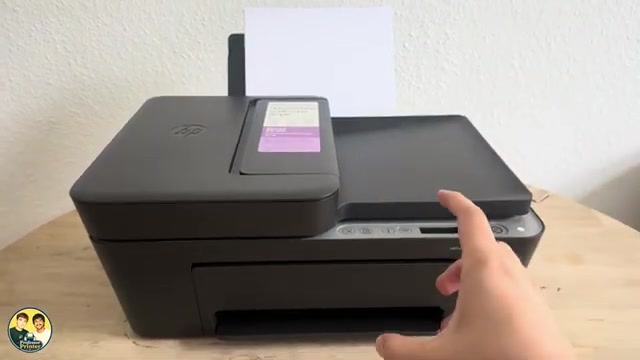
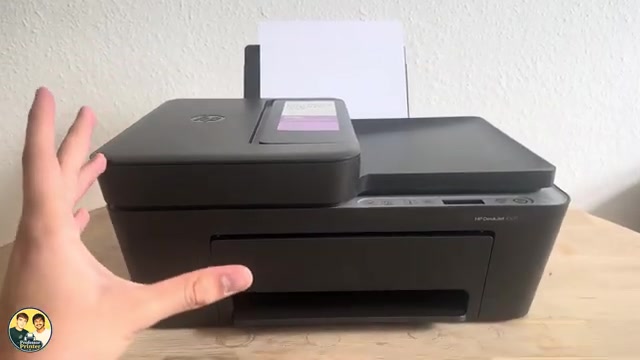
HP lists a 35-sheet automatic document feeder and a flatbed scanner for the 4320 and 4355. The exact 2920 and 2955 specifications list a flatbed without an automatic feeder. The feeder is the clearest reason to consider the 4300 models if you regularly copy or scan several loose pages.
A document feeder handles originals. It does not automatically turn over the blank paper used for printing, and it does not make this a two-sided scanning system. Both the 4300 and comparison 2900 models require manual intervention for double-sided printing. For a two-sided original, plan to handle the reverse side separately and check page order.
What changes—and what stays similar
- Rated black printing: HP lists up to 8.5 ISO pages per minute for the 4320/4355 and 7.5 for the 2920/2955. Both pairs are listed at up to 5.5 ISO pages per minute in colour. These are manufacturer ratings, not speeds measured in the videos.
- Paper capacity: the exact specifications list a 60-sheet input tray and a 25-sheet output tray for these models. Media and real loading conditions still matter.
- Two-sided and photo printing: duplex is manual, and the exact specifications list no borderless printing. A photo-layout option in an app does not remove those margins.
- Connections: the exact model specifications list USB, dual-band 2.4/5 GHz Wi-Fi, HP app support and AirPrint. Successful setup still depends on the actual network, permissions and device.
- Fax: these are not standalone hardware fax machines. An app’s Mobile Fax feature is a separate service and should not be treated as a telephone-line fax specification.
Controls and the HP app
The presenter finds the physical controls less obvious than an app-led workflow. That is an opinion about usability, not a measured comparison. The panel has separate Cancel, Resume, Information, Wi-Fi and copy controls; knowing whether a control needs a brief press or a specific hold matters.
The app provides a clearer place to select the printer, choose a file, inspect a scan and review settings. Features and account requirements can vary by platform and service. The source’s suggestion that network setup never needs a password is not a dependable rule; follow the prompts for your own printer and router.
Compare supplies and running costs using your region
These models use black and tri-colour cartridges, but the correct cartridge number is regional. For example, HP’s current supplies table lists 68 in North America and 308/308e in the applicable developed EMEA market for the listed 4300 models. Other regions use other numbers. Read the model/region entry before purchasing; a cartridge shown in one source is not a worldwide compatibility promise.
Do not turn the source’s historical cartridge price, estimated cost per page or “ten times cheaper” tank comparison into a current quotation. Compare the actual local price, stated yield and your likely mix of colour and black printing. A shared cartridge number alone does not establish identical running costs or identical ink use.
HP’s manual explains that dynamic security concerns cartridge circuitry. It permits use of reused HP circuitry with reused, remanufactured and refilled cartridges; it does not justify a blanket claim that every refill is disabled. Check the precise supplies and support information for the printer you are buying.
Which difference should decide the purchase?
If most jobs are short documents and single-page scans, the 2920/2955 comparison models already cover those basic tasks. If feeding a stack of originals is a recurring need, the 4320/4355 feeder offers a practical advantage. Check the current price difference instead of relying on the recording’s historical estimate.
If your requirements include automatic two-sided printing, automatic two-sided document scanning or borderless output, compare printers whose exact specifications provide those functions. The modest black-speed difference does not change these limits.
Treat the videos as an explanation of layout and trade-offs. They do not establish long-term reliability, measured photo quality, exact ownership costs or a universal recommendation for every household.
Questions & troubleshooting
Does the document feeder provide automatic double-sided printing?
No. The feeder handles originals for scanning/copying. HP lists manual duplex for both the 4320/4355 and the 2920/2955 comparison models.
Was the printer tested for a year by printertutorials.com?
No. The article attributes the source commentary and checks relevant manufacturer specifications. No year-long site test or hands-on test is claimed.
Are the 4300 and 2900 exactly the same printer inside?
The sources do not establish that. Shared supplies or resolution figures do not prove identical internal design, print quality or running costs.
Is the cartridge number shown in the video suitable in every country?
No. HP lists different supply numbers by region. Use the precise model and market entry in its linked table.
References
- Professor Printer: source demonstration
- HP: applicable 4300/2900 user guide; controls, manual duplex, supplies and dynamic security
- HP: exact DeskJet 2920 specifications
- HP: exact DeskJet 2955 specifications
- HP: cartridge numbers by exact model and region
- HP: exact DeskJet 4320 specifications
- HP: exact DeskJet 4355 specifications
- Professor Printer: supporting source