Before you start
- Use full initialization only when returning machine settings to defaults is the intended task, not as a first response to every fault.
- Before proceeding, have the router details and setup access needed to reconnect. Other devices using the printer’s network connection will lose access until setup is completed again.
Understand what this reset changes
Canon explicitly excludes the current print-head position and the SSL/TLS certificate-signing request from this initialization. “Factory reset” does not mean every internal value or a worn physical part is renewed.
If you only intend to erase network configuration, use the existing 19-flash network-reset guide instead. Do not perform both resets in succession merely because the source compares them. A paper obstruction, empty cartridge or damaged mechanism needs its own remedy.
Step 1:Hold Stop until the 21st Alarm flash
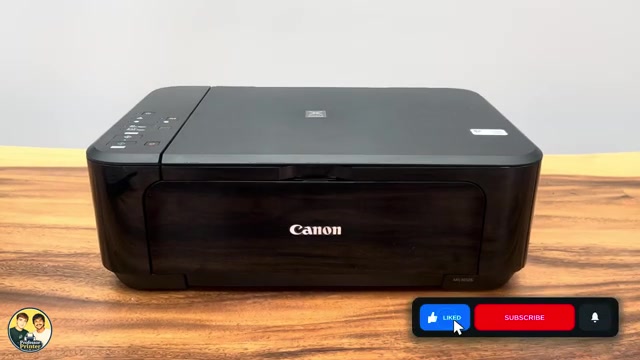
- Turn the printer on and let its current operation finish. Identify the orange Alarm lamp beside the triangle.
- Hold Stop and count the Alarm flashes carefully. Release Stop when the lamp has flashed 21 times.
- Wait for the printer to finish processing the command; in the source the ON lamp flashes and then settles. Do not interrupt this by unplugging or immediately sending another long-hold command.
Nineteen flashes selects the separate network initialization. The count is a selection, not a fixed number of seconds, and the green ON lamp is not the counter.
Step 2:Restore connection and the settings you need
- Run the applicable Canon setup again for your intended connection. The related Canon PRINT Wi-Fi guide covers the router route.
- On the phone/computer, register or select the reconnected printer as needed. If an administrator password is requested, use the applicable current/default-password guidance; do not assume an old changed password survived.
- Review paper and other settings needed for the next job. Load matching paper and open the output path, then complete a small print or scan and check the result.
The reset source ends after the printer returns to its idle state. It links elsewhere for reconnection, so it does not itself demonstrate the complete post-reset network setup.
Questions & troubleshooting
What is the difference between 19 and 21 flashes?
Canon documents 19 Alarm flashes for network settings, and 21 for broader machine initialization. Both remove network configuration; choose only the scope you intend.
Will this reset ink levels or repair a jam?
No such claim is made. This is a settings initialization, not a refill procedure, physical repair or guaranteed clearing of every fault.
Is every setting reset?
Canon lists exceptions for current head position and the SSL/TLS certificate-signing request. Do not interpret the title’s factory-reset wording as erasing every internal value.
Can I print over Wi-Fi immediately afterwards?
Not until you restore the printer’s network setup and the device can reach it again.
References
- Professor Printer: source demonstration
- Canon: full initialization command, consequences and exceptions
- Canon: distinct 19-flash network initialization
- Canon: default administrator-password behavior
- Canon: setup after initialization
- Canon: MG3600 manual explicitly includes MG3620 and MG3650
- Professor Printer: supporting source